Maximising Developer Productivity in 2026
Breaking down how I am software engineering in 2026 highlighting the apps, language tools, editors and incorporating AI.
Developer Productivity is a very touchy subject for the engineers all across any forum you might be on. Why? because that is the 100% most opinionated subject for any engineer. As it should be. Every engineer works on different tech stacks, different domains and has different habits and ways about their days. With how much software development is done by AI, we should call it engineering productivity but for the sake of conventions, I am going to stick with developer productivity.
For the experience I have had so far, while there are some tools configuration and environments that you can take up from them, you'll have to tweak it for yourself in the end to hit peak productivity. There are those who don't really care about what editor they use or which python virtual environment manager or operating system but personally I have always found it a worthy investment. This article isn't just for people looking for reviews and configurations on tools they might be thinking of using but also a note to myself as my toolkit finds itself evolving every year. There were a lot of things here that didn't exist on my systems about an year back and I might move away from them to something better. Let this be a placeholder for how I was getting the most done moving into 2026.
A 2026 productivity break down in Feb seems a bit late but I was travelling a lot.
Selection of Operating System
This is probably the most opinionated take here but my go-to advice I have for anyone whether a software engineer or not. Ditch windows. Its better to get on MacOS or Linux. The world has off late started to realise how bad Windows has been with the copilot pushes and ads on the start menu. But I have been on this ship for ages now ever since I noticed that Microsoft Telemetry takes more juice than trying to running Adobe Lightroom, Adobe Photoshop and Google chrome. It is shame considering how good Windows used to be decades ago but your laptop will run so much better without Windows and if you dont trust me, that's what Valve did to make their handhelds better. If you are staying on window for any of the following reasons, allow me to change your mind:
- Terrified of Linux? Its less of a transition than moving from Windows to MacOS given that a lot of Linux distributions come with Windows like experiences.
- Scared that firmware upgrades might stop? Most major Laptop companies put their updates on Linux Vendor Firmware Service (LVFS) and you can check whether your laptop is supported by it. If not, you might have to do a BIOS flash update after downloading upgrade to a USB.
- PC gamer? With the way GPU and CPU pricing is going up, you might be better off being a console gamer. But I do respect if you want to stick to staying a PC gamer. However Valvle support for running games on linux and Wine support for games has been improving. I do predict SteamOS to be generally available for PCs in the coming future.
- Photography, Digitial Art and Video editing? Unfortunately if you are an Adobe customer, you might have to stay on Windows for a bit or move to MacOS. However recently some strides have been made to run Adobe Cloud tools on Linux and there are alternatives to these tools on Linux which work good too. You can also just move to MacOS as I personally feel that is a better ecosystem for someone in design, photography or editing video. I myself have a dual boot with windows for this reason but have considered switching to MacOS and have been praying since 2021 for Adobe Lightroom Classic and Adobe Photoshop on Linux.
- MS Office? Use the web version. Honestly, good enough for most needs especially if you are a software engineer.
I recently moved to CachyOS but have been using Zorin OS (2021-2026) which is based on Ubuntu (which I used from 2018-21) with a dual boot of Windows which I only use for Adobe Lightroom Classic. Would recommend it for people moving from Windows as it has themes to make you feel right at home. My old not very tech savvy parents could easily use Zorin OS Lite which I had installed on a old laptop which had 2016 Pentium.
Second Brain
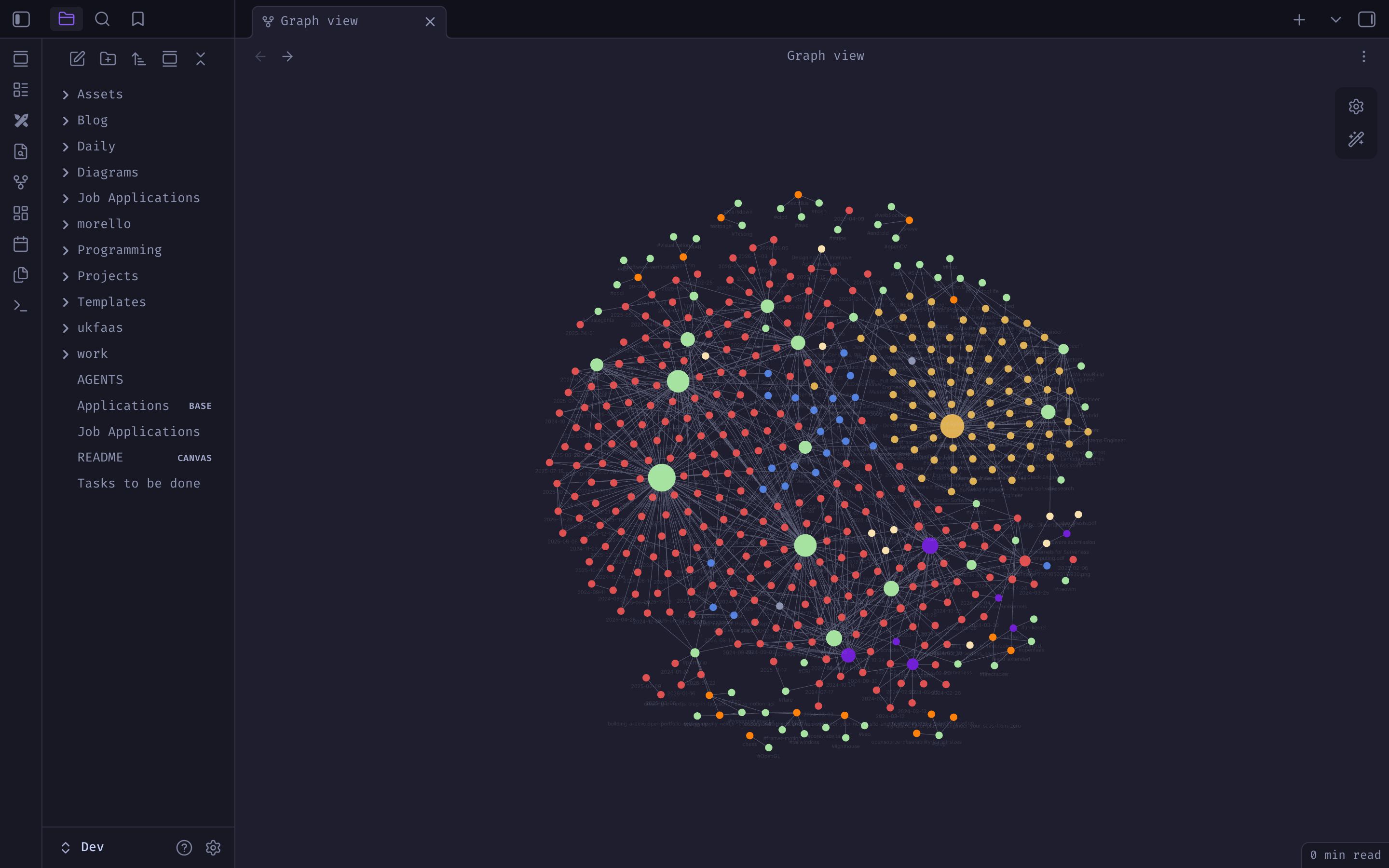
Depending on which XDA developers article you came across last if any, you might either be pro Obsidian or against it. I swear they release atleast 3 articles for and against obsidian every month. Aside from OS, Obsidian is the other tool which I have been using for years now and has stuck with me. Plugins have come and gone but the base tool remains the same. I use Obsidian for everything
- Day to day notes where I log what work I have done, what articles I have read, what issues I have come across and todo lists for the future and use tags and Obsidian Bases (previously used dataview) to sort through them
- These blog posts
- Job Applications
- Excalidraw diagrams
- Storing PDF Books and notes on those books
I have plugins for searching, tasks, and a REST API for obsidian MCP server (more on that later). There are other tools on the market which might have better AI capabilities or better organisation but I have had no problems whatsover getting those features working with plugins.
Additionally I use onedrive to sync my obsidian notes across devices with a script on my laptops obsidian app running the sync to my personal Onedrive storage and then my phone using the Onesync app.
Terminal Productivity
The GNU Terminal works fine for most cases, but Ghostty works amazing. It is a bit troublesome to get running if you are not on one of the out of the box supported operating systems (I built from source) but compensates that with performance, in-built themes, ease of customisation.
I use zsh with oh-my-zsh and starship. Both tools I strongly recommend as they do improve your shell experience a lot. oh-my-zsh comes with a lot of plugins for different kinds of projects you might have.
Tmux is an absolute must have if you work on the terminal and I dont think I can go back to life without it. It allows to you work across different projects, even ssh hosts using a single terminal window allowing you to run dev servers, monitor servers, see logs all at the same time. It allows you to compartmentalise your work and multiplex it. You can use the tpm (Tmux plugin manager) to configure it.
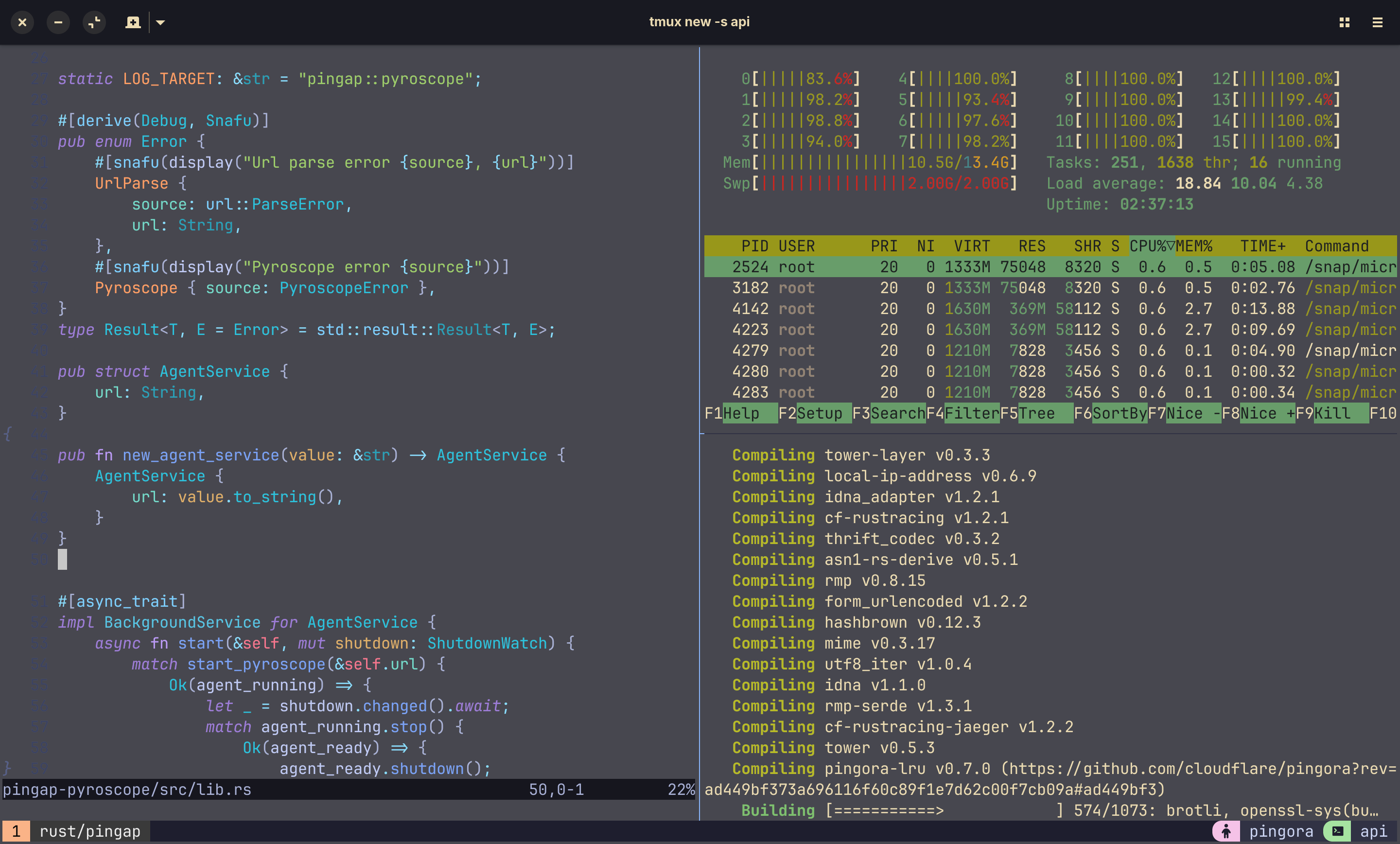
Aside from these, some notable mentions that installed.
zoxide: A smarter alternative tocdfd: Fast alternative tofindfzf: Command line fuzzy finderbat: Better alternative tocat
If your work does involve a lot of the terminal or SSH into servers these tools can help a lot but not so much as the mastery of a lot of in-built linux tooling. Its a better to build fundamentals before optimising them.
Language Tools
So I work with Python & Golang professionally but have a few personal projects in typescript and rust which form the 4 languages whose tooling is quite well set up on my system.
I do make use of a lot of bash scripts as well Makefiles on large repos with docker files, docker compose to set up other services to emulate the closest behaviour possible to how they would function on the cloud. I hate the words "works on my laptop, don't know why it didn't work when deployed". If docker compose feels like overkill because you are deploying a standalone stateless function to some kind of serverless platform, 99% they have a tool which allows you to emulate how your code is executed on the serverless platform. Major cloud providers provide that feature in-built of their CLIs and open source serverless frameworks also have run or equivalent command that would emulate how your app is deployed.
Python
The work done by the team at Astral has to be appreciated as their python tooling is all you need
uvis more than a package manager; it’s a unified tool for managing Python versions, virtual environments, and monorepo workspaces. It replacespip,pip-tools,pyenv, andpoetryin one go.tyandrufffor static checking and linting.ruffis becoming the industry standard for linting and formatting. It replacesFlake8,isort, andBlack, running roughly 100x to 1000x faster.tyis an extremely fast static type checker intended to replacemypyorPyright. The work done by the team at Astral has fundamentally changed the Python developer experience. By building high-performance Rust-based alternatives, they've made Python development so fast again. There is an argument regarding stability and compatibility and I have faced that but the team at astral and community around it are make quite a lot of ground very fast.
Typescript
Bun might not be a 100% stable yet but I only use typescript for personal projects so I have no problems moving all my projects and work to using bun. Almost entirely moving away from node and npm. I am hoping that the Anthropic acquisition will not hamper its progression. Bun's its performance as a runtime, bundler, and test runner is undeniable. There are so many benchmarks online which go through it and especially when using the bun native libraries which make it even more powerful. However the ecosystem is still lacking behind node.js but here is to hoping it catches up.
Golang
Go's "batteries included" philosophy is great, but the standard tooling can feel a bit sparse for those used to the rich static analysis of Rust (covered later).
golangci-lint: The essential aggregator. It runs dozens of linters in parallel to catch everything from performance pitfalls to style issues.gopls&staticcheck: The gold standard for LSP support and deep static analysis.
Before anyone complains about the Golang's verbose error handling, I have experimented with Dingo which transpiles to Go so no runtime performance degradation. however it is still buggy in the transpiling process. I personally don't have that many problems with the verbose error handling with AI autocomplete taking care of it while writing code.
Rust
Rust tooling is perfect. You might be a Rust hater for its complexity or hating it for how much unneccessary efforts are going into the "lets rewrite it in Rust" movement but you can have no complains for the tooling Rust provides out of the box. If you haven't realised from the typescript section yet, I am a sticker for performance. As I told a friend before that with AI writing most of the code, I don't think the argument of the high learning curve of rust holds all that well against the performance and security it gives right out of the box. AI agents with lsp support work very well with the rust compiler and clippy.
Some useful tooling aside from what comes included would be
- Bacon: A background code checker. Instead of waiting for you to save or run a command, it sits in a terminal tile and gives you live feedback on warnings and errors as you type.
- Git-Cliff: A highly customizable changelog generator that uses your conventional commits to automate documentation.
Cloud Tooling
I have often worked very close to the cloud with research into serverless computing, working as DevOps intern and working as a cloud engineer at an early stage startup.
Looking away from the CLIs of all the different cloud provider, terraform and kubectl for basic function, the following tools have been a life saver.
Microk8s- I run microk8s locally for my experiments and personal projects given it comes right out of the box in Ubuntu based distrosk9s- A TUI dashboard for kubernetes, works very well in hand with Tmux and Neovim (more on that next)yq,jq,jc- Anyone working in the cloud devops space knows how much YAML and JSON you need to interact with all these tools are a lifesaver when working on these CLIs.
Editors/IDE
So going back to Jan 2025, I was on Cursor. Quite happy with the AI tab based editting with my god knows how many VS code extensions. It worked well for most work but I started to notice two problems then:
- The AI tab autocomplete were quite aggressive
- Was getting bugged by the clutter of VS code extensions and performance of Cursor on large code bases at the time I started exploring more tools. Cursor has since improved a lot but these two other editors (yes, two) better suited my workflow.
The first is Neovim. I had a hang of vim from when I was preparing for CKAD and wanted to see what all the hype about Neovim is. There is a learning curve with Neovim especially if you are new to vim motions. But once you get the hang of it, you see what the hype is about. Aside from just the motions (which you can get in other editors), because it lives in the terminal, it feels like a natural extension of my cloud tooling. I can hop into a file, make a targeted change, and hop out within the same window and it works very well with tmux to supercharge your terminal.
However, Neovim isn't for everyone and if you don't have to time to get used to vim motions or don't like editing in the terminal, I would suggest Zed. For Zed, at that point gave me the predictive editing which I loved with Cursor but with
- Insanely better UX. It is definitely an upgrade from the VS Code based editors
- Less clutter. Somehow because Zed did not have as big of an ecosystem as VS code based editors, I ended having to install the tools to install underlying dev tools and setting them up giving me very well fitted configuration. That being said, for most popular languages, Zed has extensions which work well out of the box.
- Zed’s debugger is surprisingly visual and intuitive, making it my go-to for debugging complex logic in new or large repos.
- ACP protocol allows Zed to work well with tools like Claude Code, OpenCode, Codex etc
- Vim mode: Makes it easier to work across the two editors
My Dotfile configuration can be found here which has both Zed, Neovim, Tmux, Ghostty and Starship configuration
Before I break down how I use the two editors, I need to address the elephant in the room.
AI Tooling and Agents
It can't be a developer productivity blog in 2026 without talking about AI. Actually, nothing these days is complete without a mention of AI. In 2025, I added Opencode to my setup with my editors, both having great support for using Opencode, Zed has ACP and Neovim has opencode plugins as well as ACP support. I still use the predictive editing that Zed providers.
I feel a lot of the coding agents such as Claude Code, Opencode, Codex are quite similar. I stuck to Opencode because of Opencode Zen which I felt is the best pricing plan if you aren't a heavy user. Opencode Black is the same cost as Claude Pro Max if I ever want to upgrade but at my current level Opencode Zen provides a quite good pay as you plans with access to free models as well. And if your company provides you any subscriptions (unless it a Claude subscription) you can use that with Opencode as well so you don't have to change tooling all that much.
I did try setting up Oh-my-opencode (OmO) but I felt that it was a bit overkill. I do love how OmO on how it structures agents along with some of the many useful tools and skills. I do see it as a better exercise for me to build my own agent flows as it also improves my understanding how to get most of these AI systems. OmO is definitely a great example of what is possible with tools like Opencode and also other similar tools. There are a lot other collections of tools and skills out there which showcase how you can build code.
I do intend to write an article later in the future to showcase my opencode set up for different kinds of repos. Haven't included that as part of this article as I am still experimenting with my setup and would not consider it stable.
However I do feel a balance is needed when working with AI especially at an early career. I have been moving more and more towards theory and system design than code but still feel like I should be able to understand the code the LLM writes and for that I also need a bit of practice of writing and reading it myself. I realised that when learning or trying out something from scratch, relying on AI does make you a bit dumber. It is important to know where to draw a line with AI to not get swept in the hype. This is how I balance using AI between my personal experiments, learnings, projects and my work and deliverables.
| Scenario | Editor | Opencode? | Reason |
|---|---|---|---|
| Editing Existing Cloud Config files and manifests | Neovim | No | I still dont trust AI 100% when it comes to cloud manifests especially when small errors can make a impact to uptime, costs, security |
| New personal projects and trying things out | Neovim | Heavily | If I have an idea I want to implement or software I want to try/benchmark, I use an opencode + obsidian based flow where I note down objectives/context and log what worked/broke while neovim to keeping going through the code on the side. |
| Patches/Minor fixes | Neovim | Very restrictively | Usually these changes are small and across 2-3 files so you dont really need a lot of |
| Major changes | Zed | Yes | Zed + opencode is still my go to for major changes in large code repos and most of my work. The initial analysis is purely done by Opencode but the implementation plan and execution is a peer reviewed process between me and my agents. Updating tests is done by Opencode |
| Exploring large repos. I like to clone repos doing very cool things to see how they work internally | Zed | Only if I cant understand something | I absolutely love the Zed debugger and also have been looking at ways for my agents to use instead of adding prints/logs. |
Final Notes
Installing the tools is not the most important part of being productive but making habits. Tools might change but habits are what will define how you productive you feel. None of the tools above would make 20x productive from day one. The real impact will come when you are able to incorporate that with your habits and workflow.